Local iPhone checks

Start with the problem. DeviceAid guides you to the right check.

Check speaker, microphone, display, touch, haptics and motion directly on your iPhone. No account, no proprietary cloud and no automatic diagnosis.

  • Native iPhone app
  • German and English
  • Local core checks
  • Built with accessibility in mind
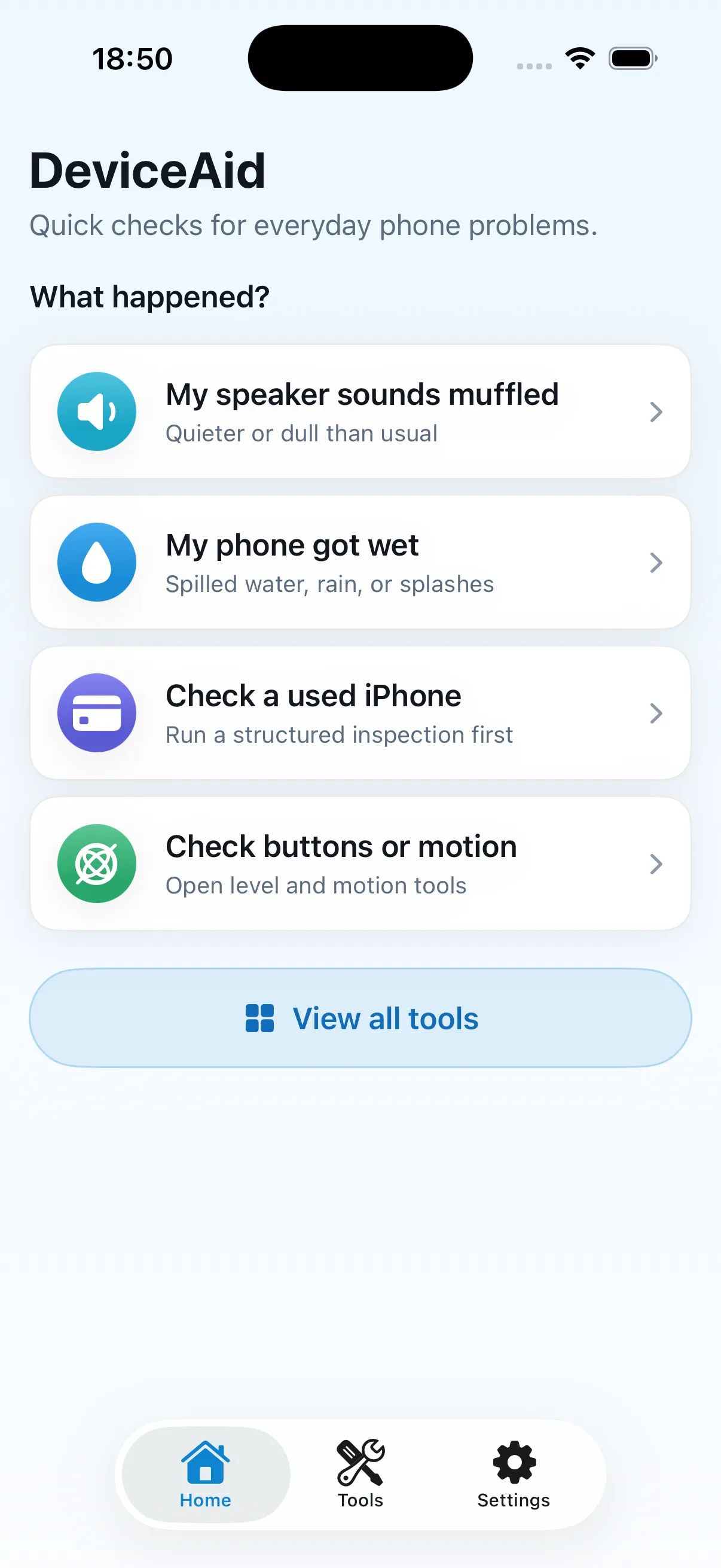
DeviceAid Home with four problem-based starting points
Speaker sounds muffled
iPhone got wet
Feature overview

A clear flow for every manual check

DeviceAid groups current tools by task. You start each check, observe or listen to the result, and assess it yourself.

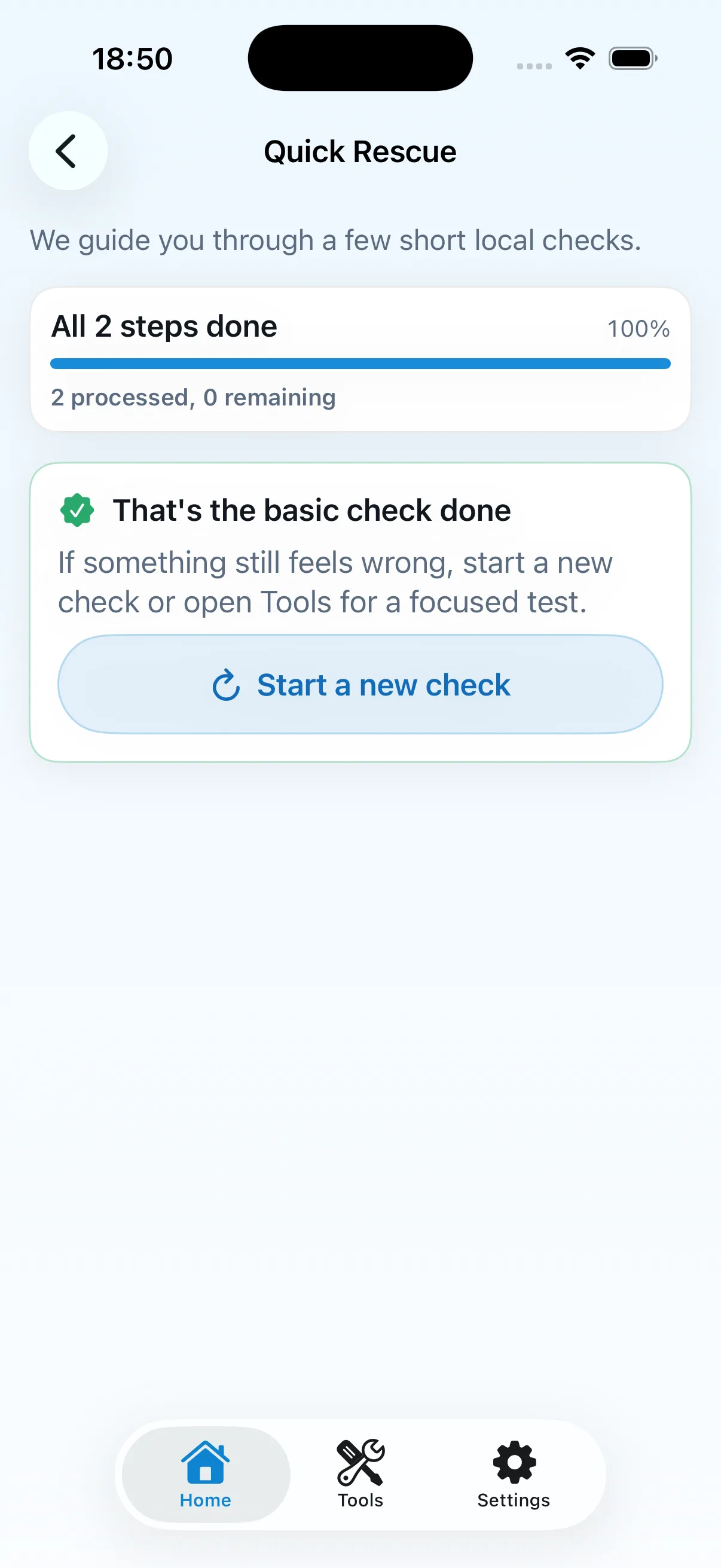
Completed Quick Rescue flow in DeviceAid
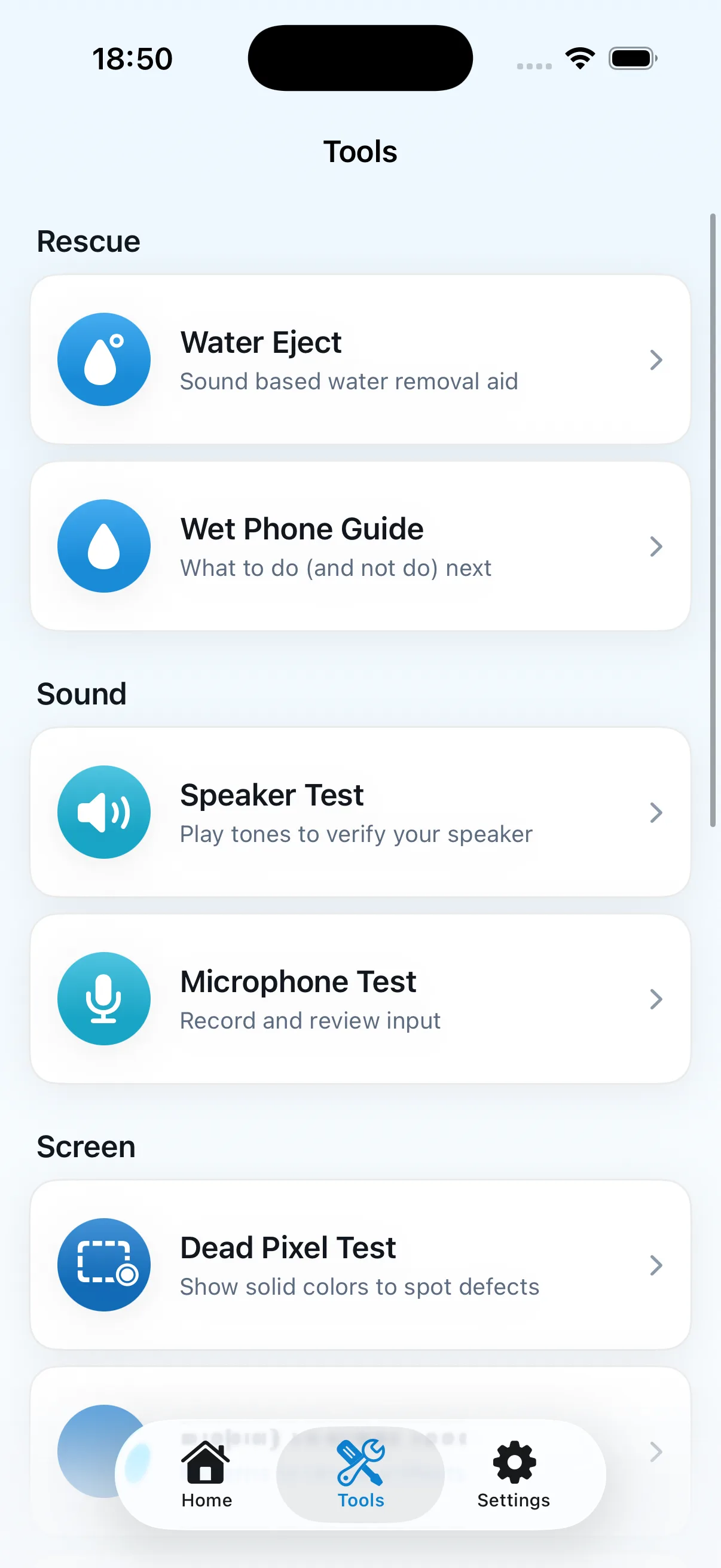
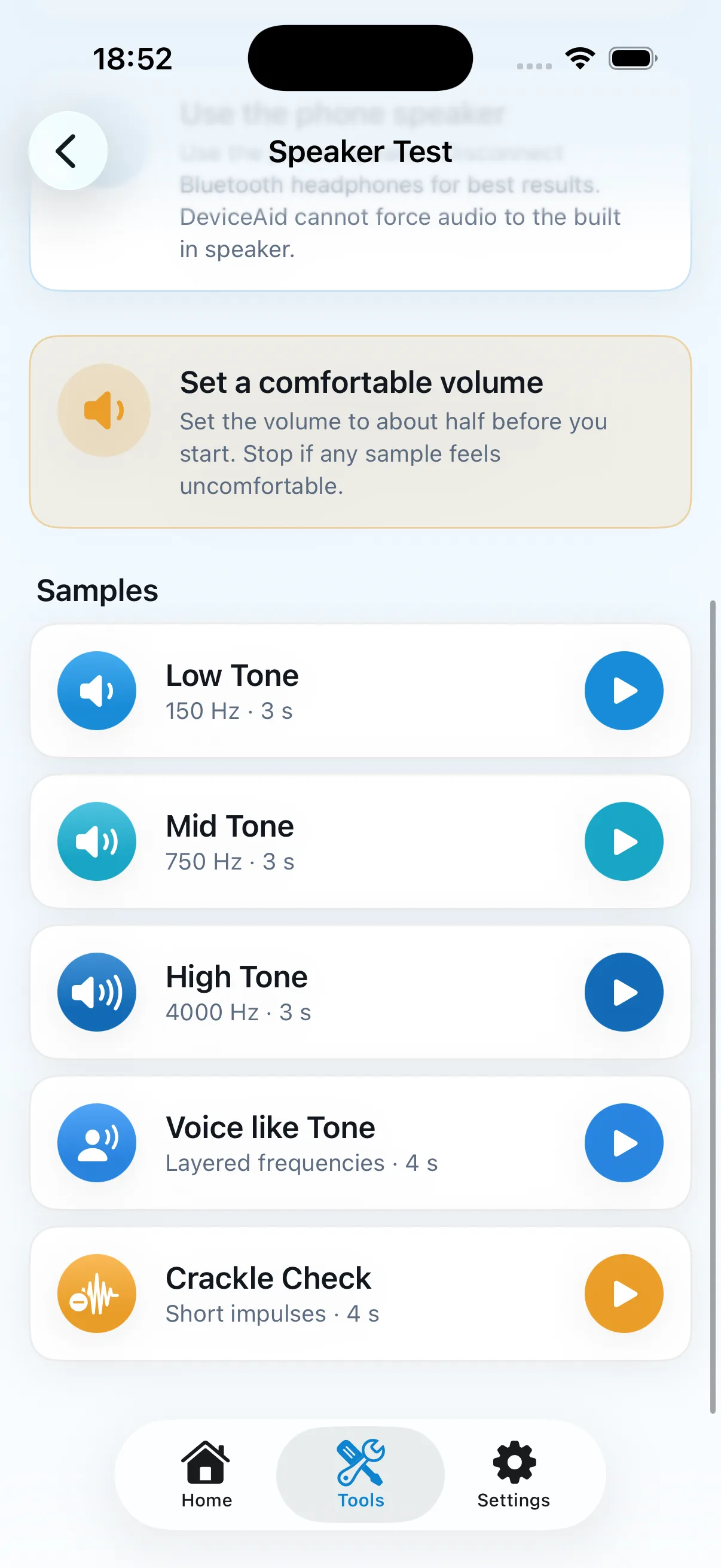
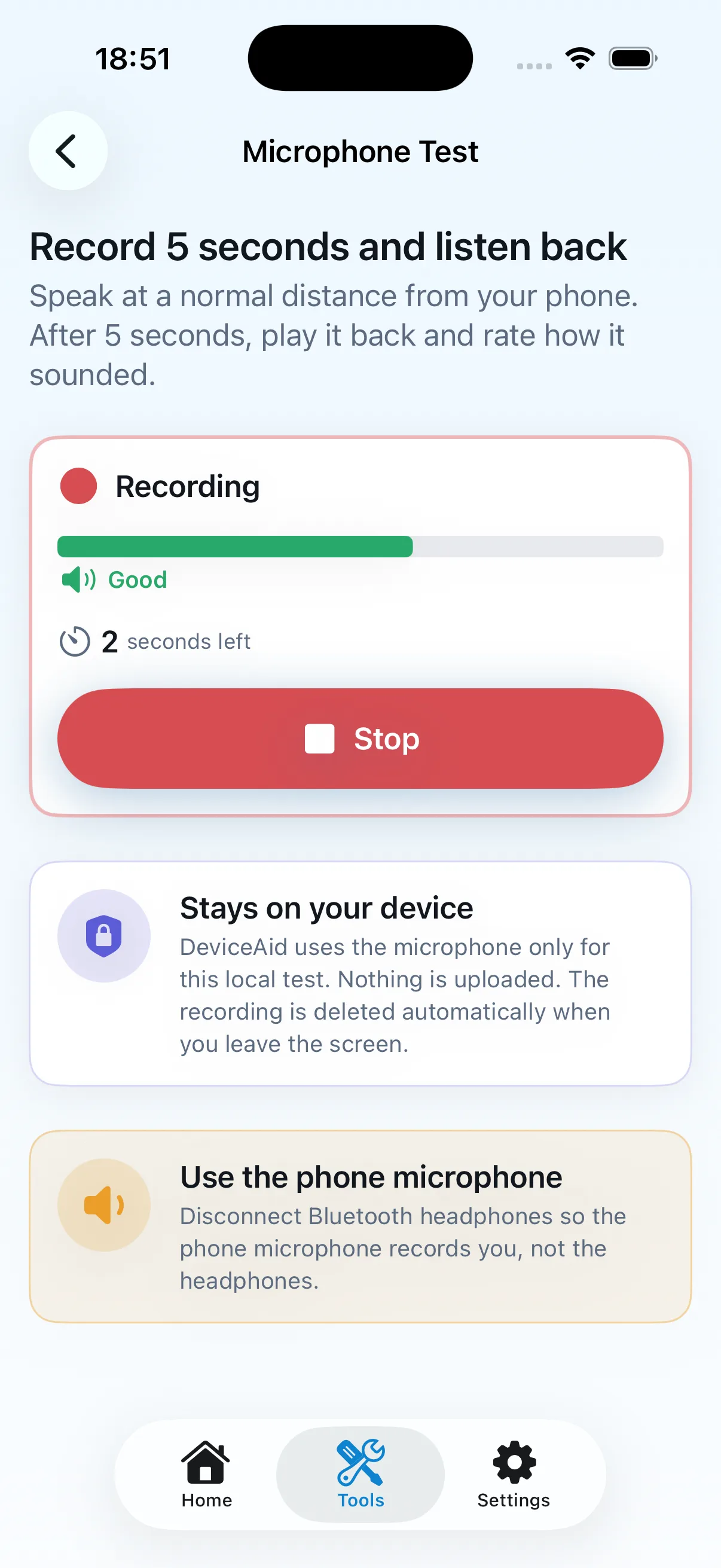
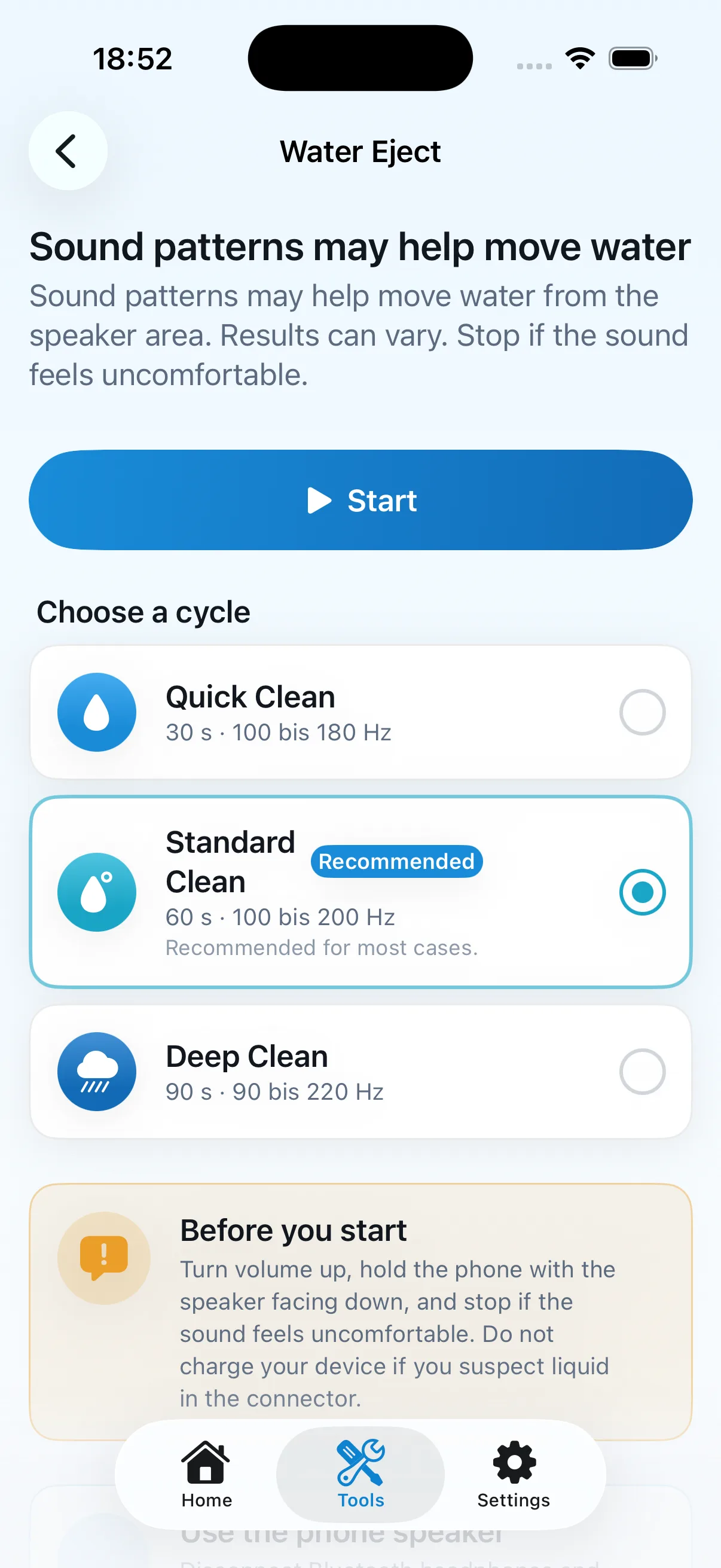
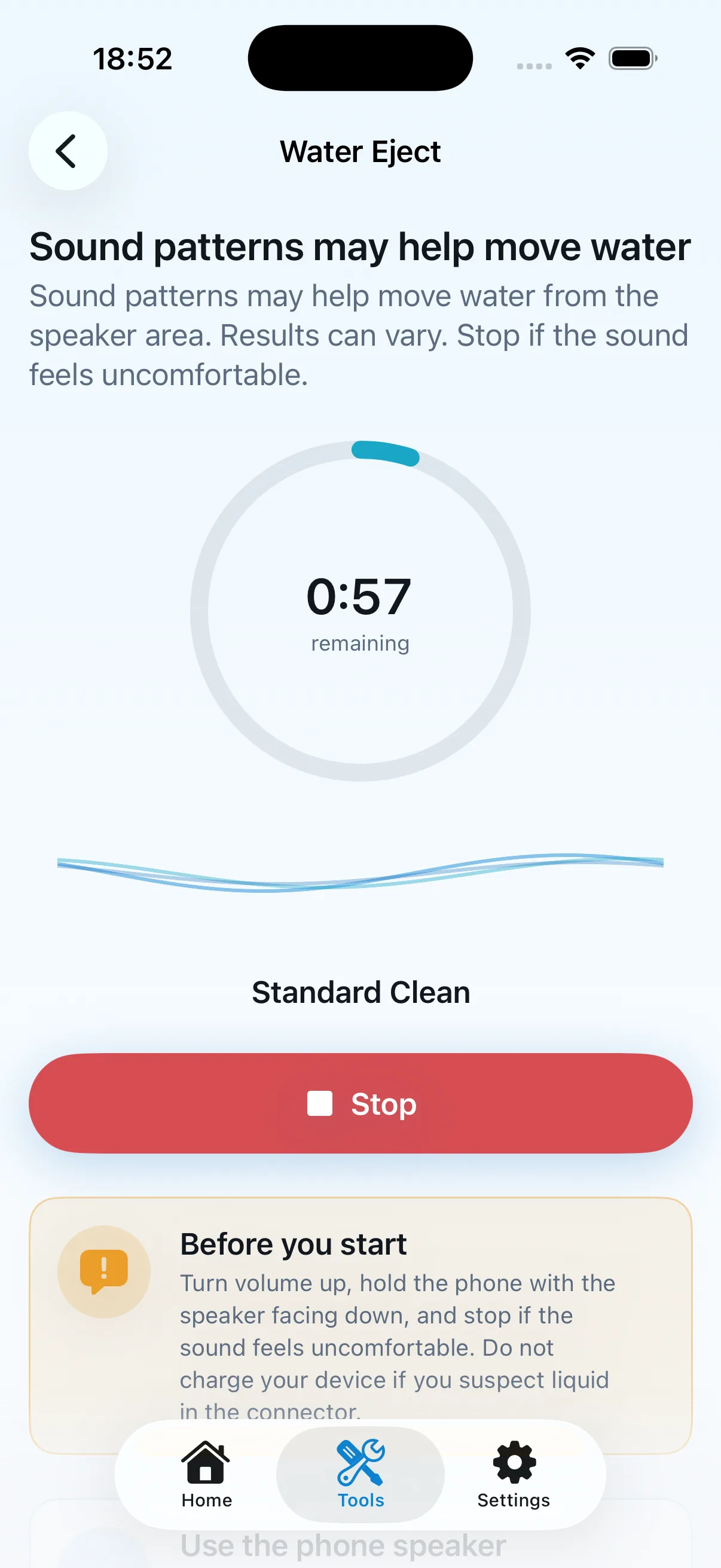
DeviceAid tools for water, speaker, and microphone

Rescue and water

Quick Rescue, Water Eject, and Wet Phone Guide

Short guided flows, local sound patterns, and practical steps after water contact.

No repair guarantee or automatic diagnosis. Results may vary.

Sound

Speaker Test and Microphone Test

Short tones or a local recording for your own listening assessment.

You assess the result. DeviceAid does not perform an acoustic diagnosis.

Every tool and limitation
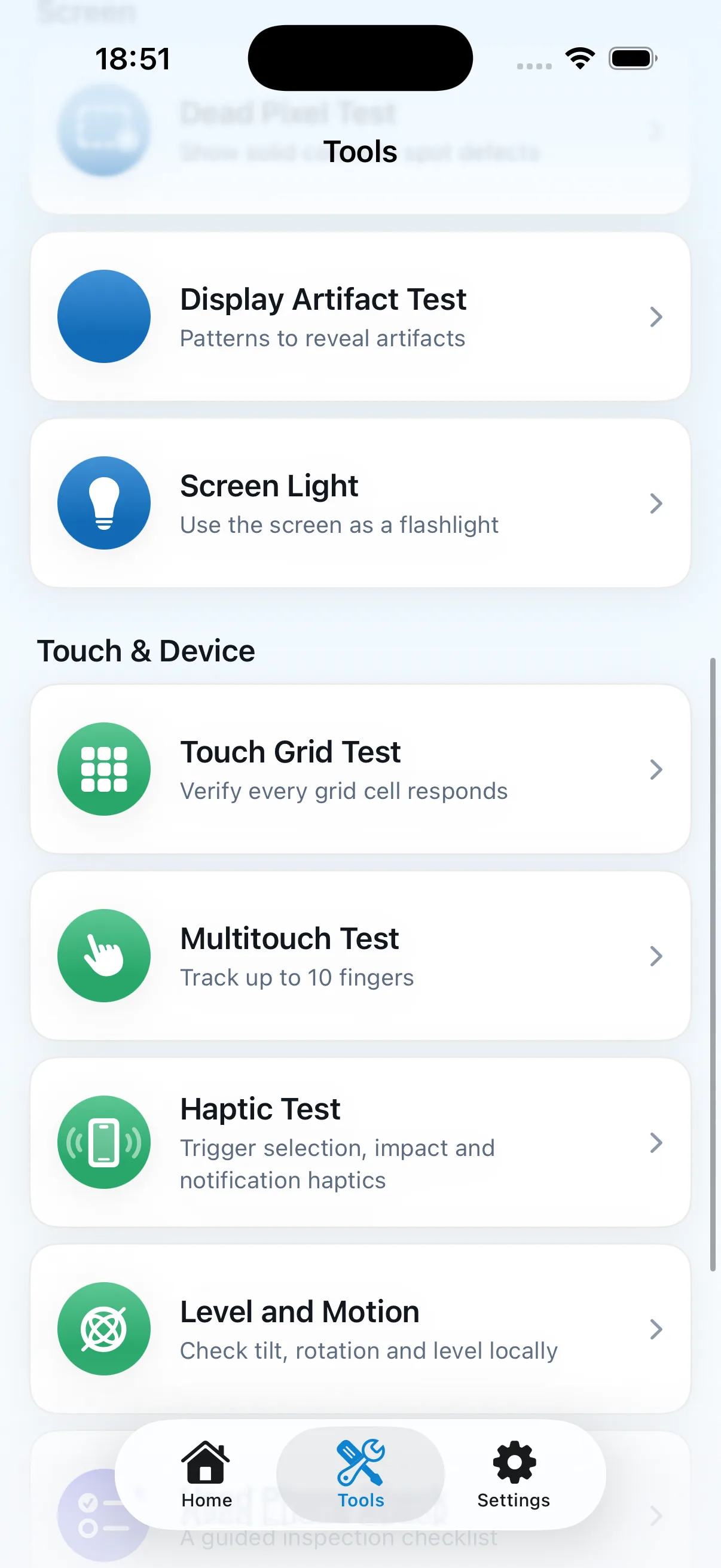
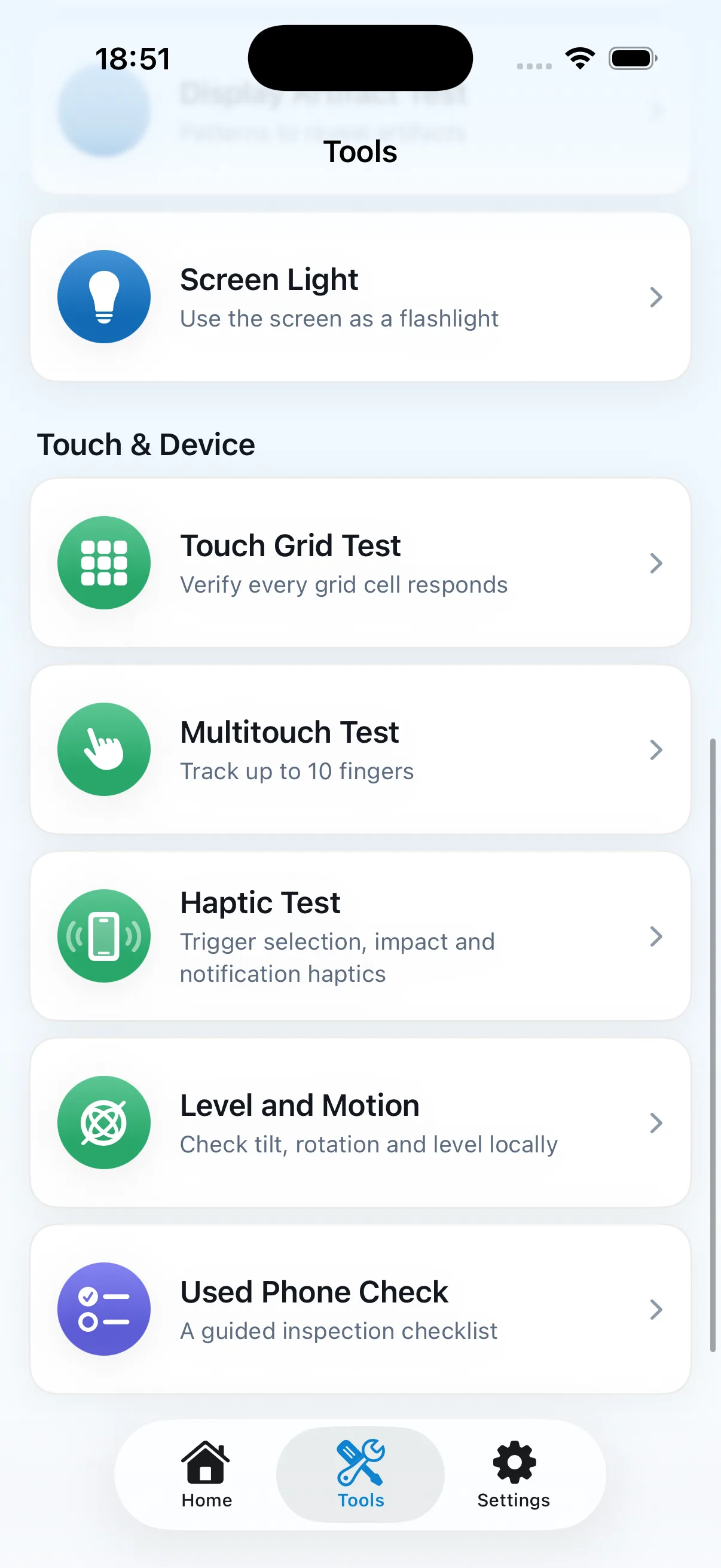
DeviceAid tools for display, touch, haptics, and motion
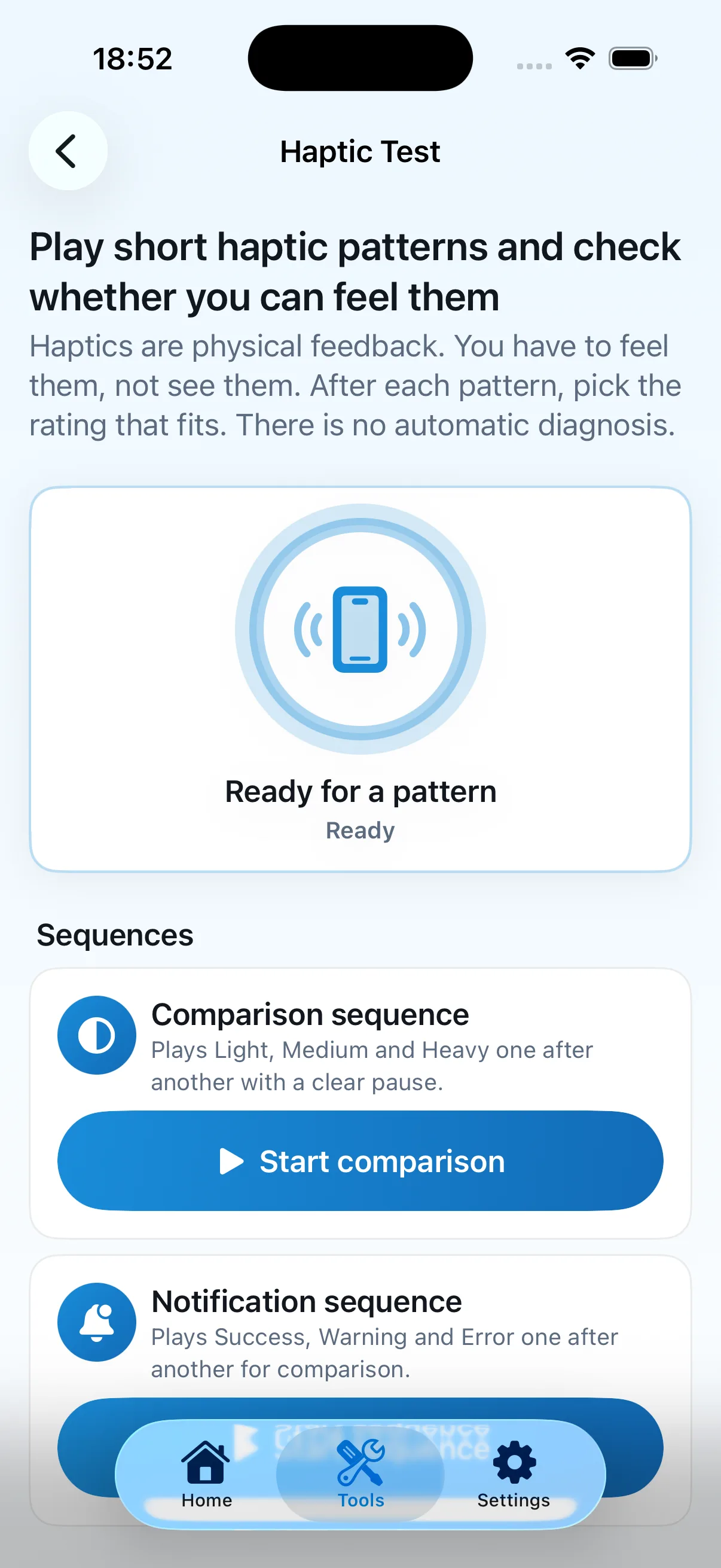
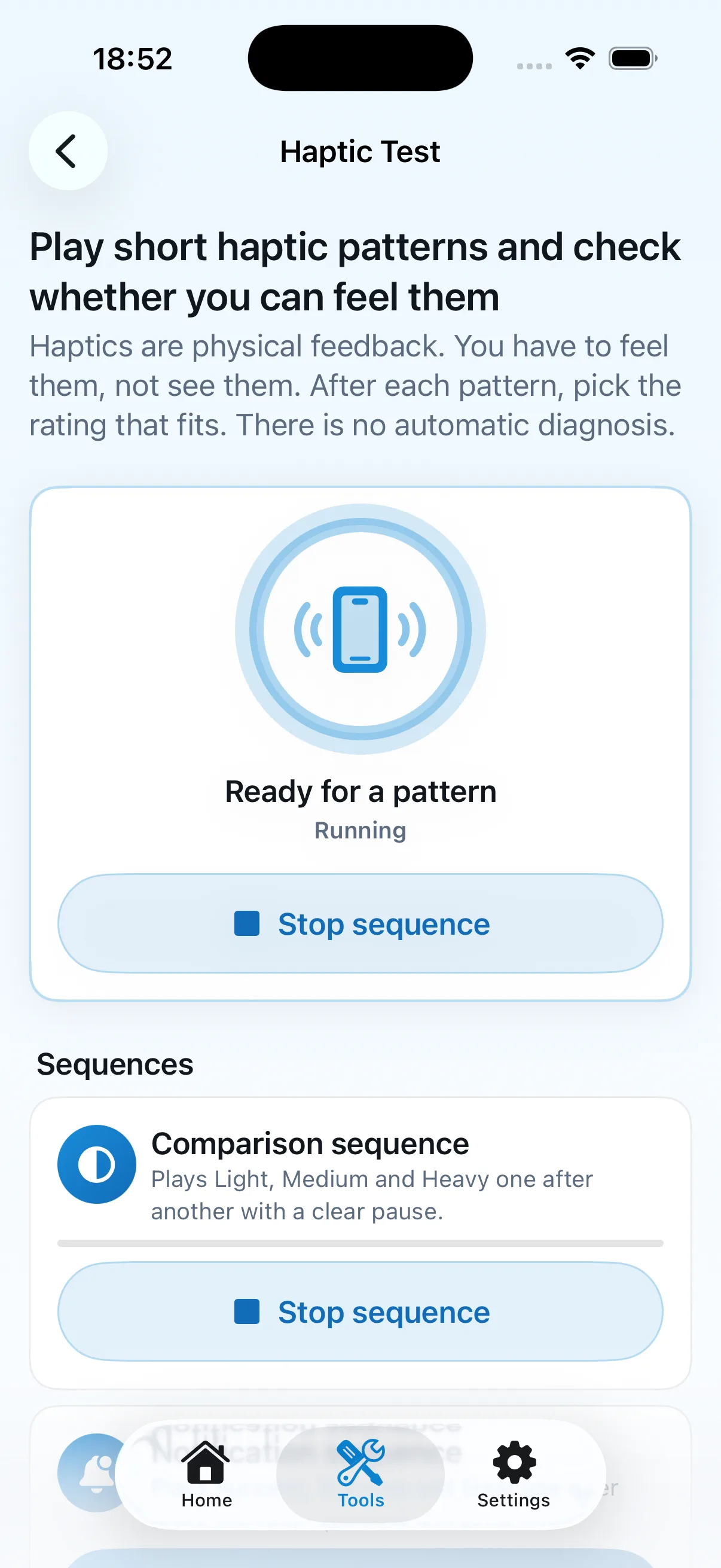
Haptic Test ready with selectable patterns

Display

Dead Pixel Test, Display Artifact Test, and Screen Light

Solid colours, patterns, and a local light surface for manual visual checks.

No automatic pixel detection and no claim about invisible internal damage.

Touch and haptics

Touch Grid Test, Multitouch Test, and Haptic Test

Check touched areas, simultaneous touches, and short haptic patterns yourself.

No automatic hardware or Taptic Engine diagnosis.

Every tool and limitation
DeviceAid tools for touch, motion, and Used Phone Check
Problem-based DeviceAid Home screen

Level and motion

Tilt, rotation, and level

Local Core Motion queries start only after your action and provide neutral feedback.

Raw sensor data is not stored; the app does not declare a sensor defective.

Used phone check

Used Phone Check

A guided checklist combining the available speaker, microphone, display, touch, and haptic tests.

No purchase certificate, automatic condition score, or substitute for professional inspection.

Every tool and limitation

The screenshots show current English app screens. DeviceAid supports both German and English.

Privacy architecture

Local core checks. Honest privacy boundaries.

DeviceAid clearly separates local app functions from services used for advertising, purchases, website hosting, or support.

DeviceAid Settings with privacy, data management, and support

DeviceAid itself

  • No proprietary account
  • No proprietary cloud for test results
  • No proprietary analytics or telemetry
  • Microphone recording stays local to the active test
  • Core Motion runs only during an active test

Google AdMob and UMP

Free may show ads depending on region, consent, and privacy status. Google may process advertising, device, usage, diagnostics, and consent data.

Apple StoreKit

Apple processes payment, purchase history, and Apple Account association. DeviceAid receives a verified entitlement, not bank details.

Website hosting

This static website is hosted by Vercel. Technically necessary server and security logs may be created when it is requested.

Email support

When you send a message, your address, content, and voluntary details are processed by the email provider used for support.

Read the privacy details
Free and Pro

Every check in Free. Pro stays ad-free.

DeviceAid Free

  • All current tools
  • All current guided checks
  • German and English
  • Appearance and accessibility options
  • May show ads depending on consent

DeviceAid Pro

  • No advertising
  • Yearly access through the Apple Account
  • Supports continued development

Planned: €3.99 per year in the German storefront. Apple displays the final price before purchase.

Learn about DeviceAid Pro
Used Phone Check

Inspect a used iPhone with a clear structure

The guided flow connects current tools into a manual checklist. It creates no automatic score and no purchase certificate.

  • Speaker
  • Microphone
  • Dead pixels
  • Touch grid
  • Multitouch
  • Haptics
  • Screen light optional

No guarantee and no substitute for professional inspection. You assess the device yourself.

Tools overview including the manual Used Phone Check
Honest limits

DeviceAid helps you check. It does not repair or diagnose automatically.

  • The user assesses each result
  • Water Eject does not guarantee water removal
  • Visible tests cannot detect hidden damage
  • Use professional service when uncertain
Frequently asked questions

What matters before the first check

Does DeviceAid diagnose my iPhone automatically?

No. You start local tools, observe the result, and assess it yourself. DeviceAid is not a certified diagnosis and provides no repair guarantee.

Which areas can I check?

Current tools cover sound, water, display, touch, haptics, level and motion, plus guided checks.

Does all data stay on the iPhone?

Core checks run locally and DeviceAid has no proprietary cloud for test results. Google may process ad and consent data in Free, Apple processes purchases, Vercel may create hosting logs, and support email uses an email provider.

Are tools locked behind Pro?

No. Every current tool and guided check is available in Free. Pro removes advertising and supports continued development.

Can Water Eject safely remove water?

No. Local sound patterns may help move water from the speaker area, but results vary and removal is not guaranteed.

Is DeviceAid already available on the App Store?

There is no confirmed public App Store URL yet. The website therefore provides no placeholder link or premature purchase prompt.
View every FAQ
Before App Store launch

DeviceAid is coming to iPhone

The website, support, and privacy pages are already prepared. The App Store link will be added after release.

Explore the featuresView support